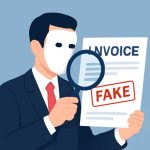
Technical Methods to Detect Fake PDF and Identify Manipulation
Digital documents can be altered in subtle ways that mislead recipients and automated systems. Understanding the technical signs of tampering is essential to detect pdf fraud effectively. Start by examining the file metadata: creation and modification timestamps, author fields, and PDF producer entries can indicate inconsistencies. If an invoice claims to be generated by a major accounting system but the metadata lists an unknown or consumer-grade editor, this can be a red flag.
Beyond metadata, analyze the document structure. PDFs are composed of objects — streams, fonts, and images — and mismatches between embedded fonts and visible text often indicate pasting or OCR artifacts. Visual inconsistencies such as uneven alignment, differing typefaces for numerals versus text, or unexpected image compression artifacts around logos or signatures often point to edits. Tools that compare text layers to rendered images can reveal if the text layer has been replaced or if the content was scanned and then altered.
For deeper forensic checks, use hash comparisons and digital signature verification. Documents issued by reputable vendors should include cryptographic signatures that validate integrity and origin. If a signature is present but fails verification, or if signature certificates are self-signed without a trustworthy chain, treat the document with suspicion. Similarly, checksum mismatches between distributed copies can reveal that a document was modified after issuance. Combining these technical checks with rule-based heuristics — such as improbable invoice numbers, duplicated line items, or impossible dates — builds a robust detection approach that helps organizations detect fraud in pdf before losses occur.
Practical Verification Steps to Detect Fake Invoice and Fake Receipts
Operational processes complement technical analysis by providing context and human validation. Begin with a supplier verification routine: confirm bank account details and contact information via trusted channels independent of the PDF. When any invoice or receipt arrives, cross-check purchase order numbers, delivery confirmations, and prior billing history. Discrepancies between a PDF invoice and the expected procurement workflow should trigger deeper review.
Visual inspection techniques remain valuable. Examine logos, contact details, tax identification numbers, and line-item descriptions for subtle changes or low-resolution images that have been pasted in. Compare the suspect document with a known-good template from the same vendor; small differences in spacing, currency formatting, or footer content can betray fraud. For receipts, check the transaction time, terminal identifier, and approval codes against payment processor logs. Asking for original source documents, such as an online invoice portal screenshot or bank remittance confirmation, often quickly clarifies authenticity.
Automated solutions streamline these checks at scale. Integrating document validation tools into accounts payable workflows can flag anomalies like duplicate invoice numbers, mismatched totals, or unusual supplier names. Services that specialize in document authentication can be used to detect fake invoice instances by verifying signatures, metadata, and content integrity. Training staff to recognize social-engineered invoice requests and establishing multi-factor authorization for high-value payments reduces the risk that a convincing-looking PDF will result in financial loss.
Case Studies and Real-World Examples: Lessons from Document Fraud Incidents
Lessons from breaches and fraud cases demonstrate how attackers exploit PDF trust assumptions. In one case, a mid-sized company received a sequence of professionally designed invoices that matched prior vendor styles but contained altered bank details. The fraud progressed because procurement staff relied on visual familiarity rather than independent confirmation. The organization revised its procedures to require dual verification of account changes and implemented prepayment checks, drastically reducing successful attempts.
Another notable example involved forged receipts used for expense reimbursement. Employees submitted scanned receipts with slightly altered totals and modified dates. Automated expense controls flagged some anomalies, but gaps in policy enforcement allowed several fraudulent claims to slip through. The company then introduced random audits and machine-learning analysis of expense patterns, which highlighted outliers such as frequent round-number claims or repeated vendors with unusual frequency.
Public-sector entities have also been targeted with doctored PDF contracts that included fake amendments and forged signatures. After a high-profile incident, the agency adopted mandatory digital-signature verification and an approved vendor list accessible through secure portals. These measures, combined with employee awareness training, helped reduce success rates of document fraud. Real-world responses consistently show that layering technical checks, process controls, and staff education creates resilient defenses against attempts to detect fraud receipt or other forged documents, and encourages a culture of verification rather than assumption.